
Free reporting template
Stripe Fees and Refunds Google Sheets Template
See charge amounts, Stripe charge fees, and cumulative refunds by month. Add one reporting tab to your SyncStaq Sheet to use your data.
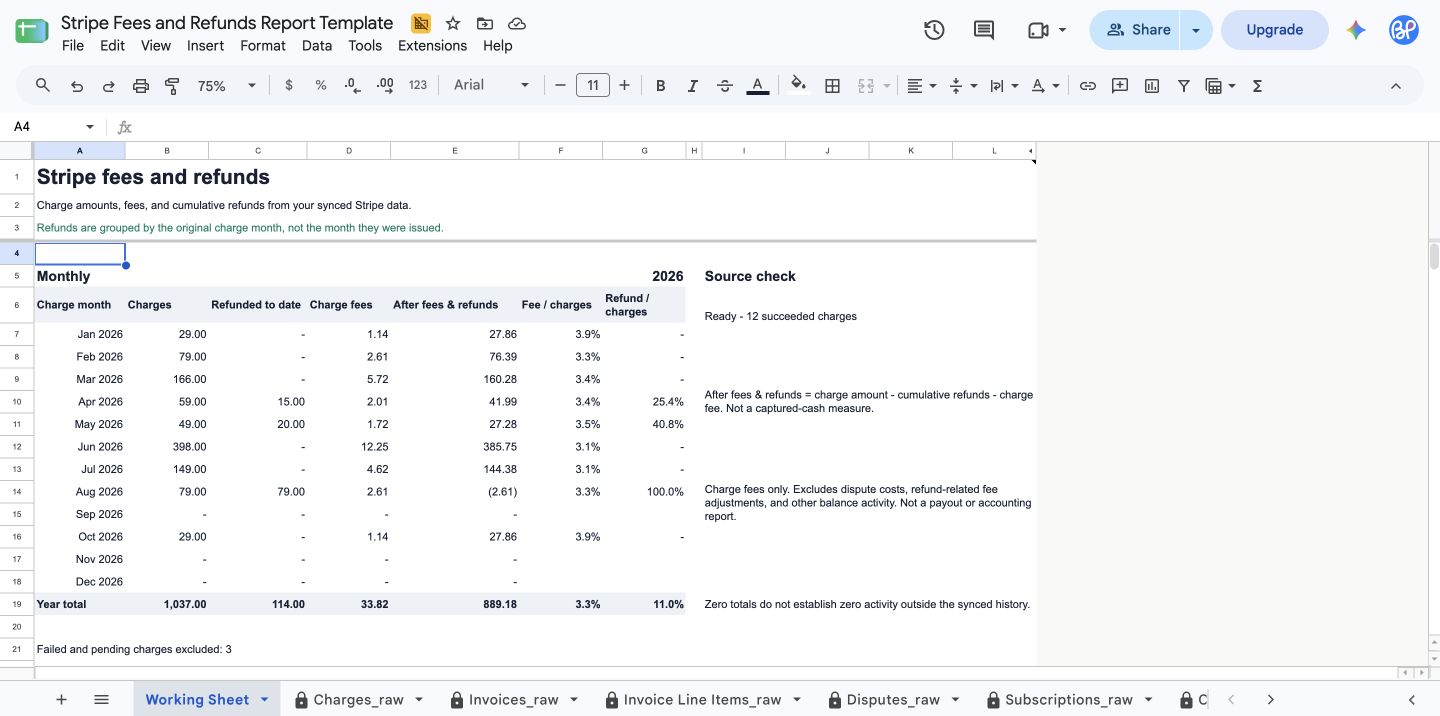
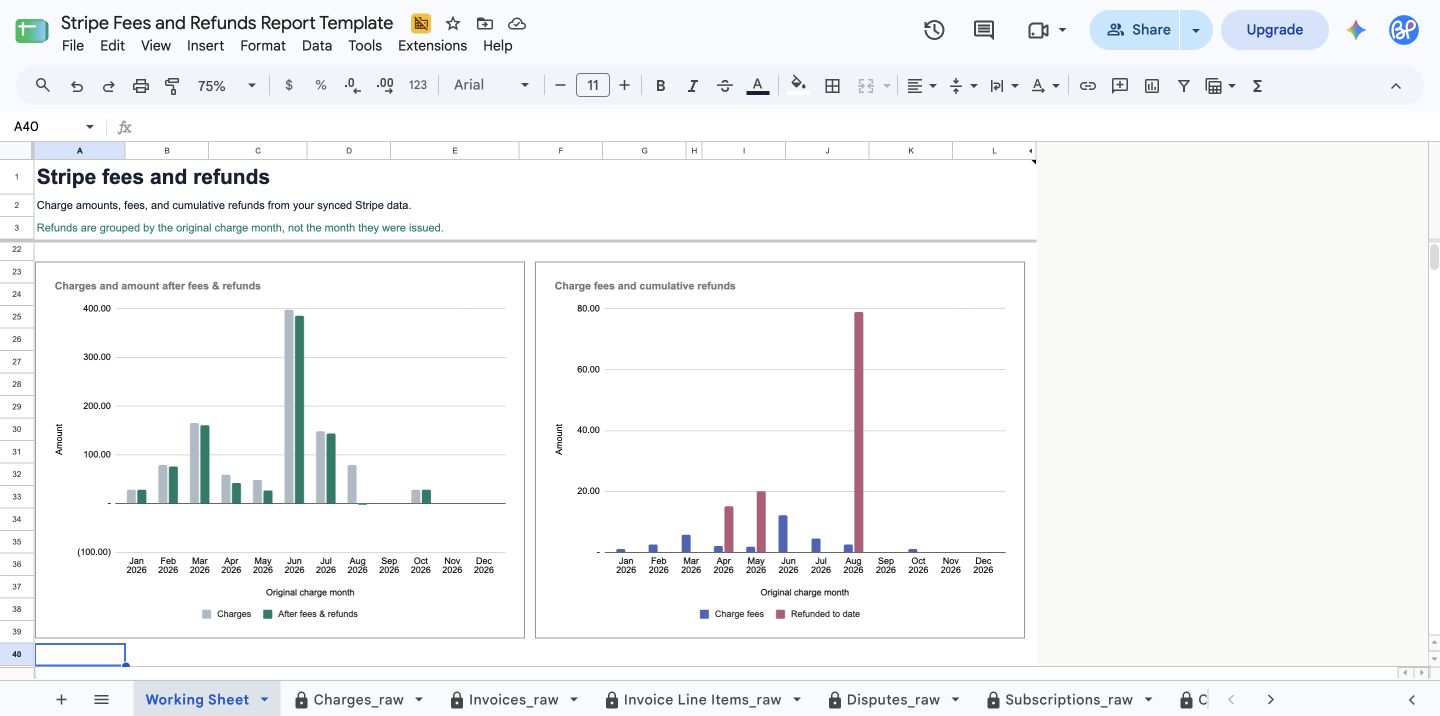
Reporting basis: Refunds are grouped by the original charge month, not the month they were issued. Totals can change when an older charge is refunded later.
Use it with your SyncStaq Sheet
Copy the template
Open the workbook and choose Make a copy.
Add the reporting tab
Right-click Working Sheet, then choose Copy to > Existing spreadsheet. Select your dedicated SyncStaq Sheet and rename the new tab Fees and Refunds.
Explore refunds
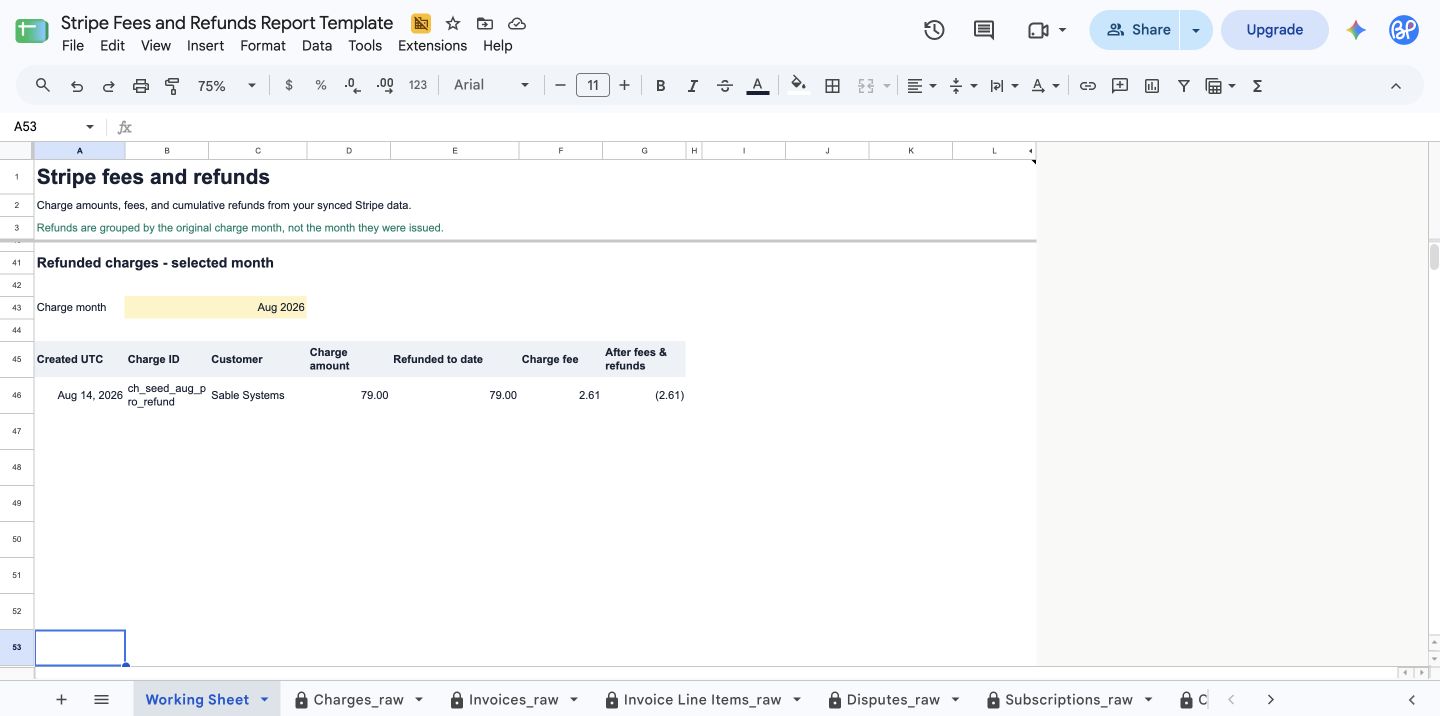
Choose a charge month in the yellow cell to see its refunded charges. The monthly overview stays on the latest year in your synced data.
Template questions
Does copying the template connect it to my Stripe data?
No. The template includes example data. Copy its reporting tab into your existing SyncStaq-created spreadsheet to use your synced charge data.
Does the report show refunds issued each month?
No. It shows the amount refunded to date on charges created in each month. A later refund changes that original charge month's total.
Is 'After fees & refunds' my Stripe payout?
No. It subtracts the charge's cumulative refunds and charge fee from its amount. It does not account for disputes, other balance transactions, or payout timing.
Related guides
Keep your Stripe data in Sheets
SyncStaq creates a dedicated Google Sheet and keeps your Stripe billing data updated for reporting and reconciliation.
Start 14-day free trial