
Stripe CSV export alternative
CSV exports work for one-off analysis. For reports you refresh regularly, SyncStaq keeps Stripe billing data in Google Sheets without repeating the download-and-import cycle.
Manual exports or a connected Sheet?
The difference is how you keep the source data available. Your reporting logic still belongs to you.
| Your workflow | Stripe CSV exports | SyncStaq |
|---|---|---|
| Getting data into Sheets | Download the relevant CSVs, then import them into your spreadsheet. | Sync Stripe billing records into a dedicated Google Sheet. |
| Refreshing the data | Export and import again when you need a newer view. | Connected billing data updates hourly. |
| Changed records | A saved CSV does not change when an invoice or subscription changes in Stripe. | Updated billing records are reflected through scheduled syncs. |
| Reporting and labels | Build your own formulas, joins, pivots, and labels from the exported files. | Build your own formulas, pivots, and labels in the Working Sheet. |
| Historical snapshots | Keep a saved export as a point-in-time file. | A synced Sheet reflects changing records; save a separate snapshot when you need one. |
| Initial history | Choose the date range supported by the relevant export. | The first sync brings in six months of billing history. |
SyncStaq is a one-way data sync, not an accounting system or an automatic report generator.
Choose the approach that fits the job.
Keep using CSVs when…
- You need a one-off answer or a file to send to someone.
- You want a saved snapshot for a specific reporting period.
- Occasional downloads and imports are manageable for your team.
Consider SyncStaq when…
- Your Stripe reports need recurring refreshes in Google Sheets.
- You repeatedly pull together invoice, payment, customer, or subscription data.
- You want updated data without maintaining a custom API script.
You still own the analysis. SyncStaq gets billing data into Sheets. You decide how to group revenue, handle refunds, label products, and interpret the results.
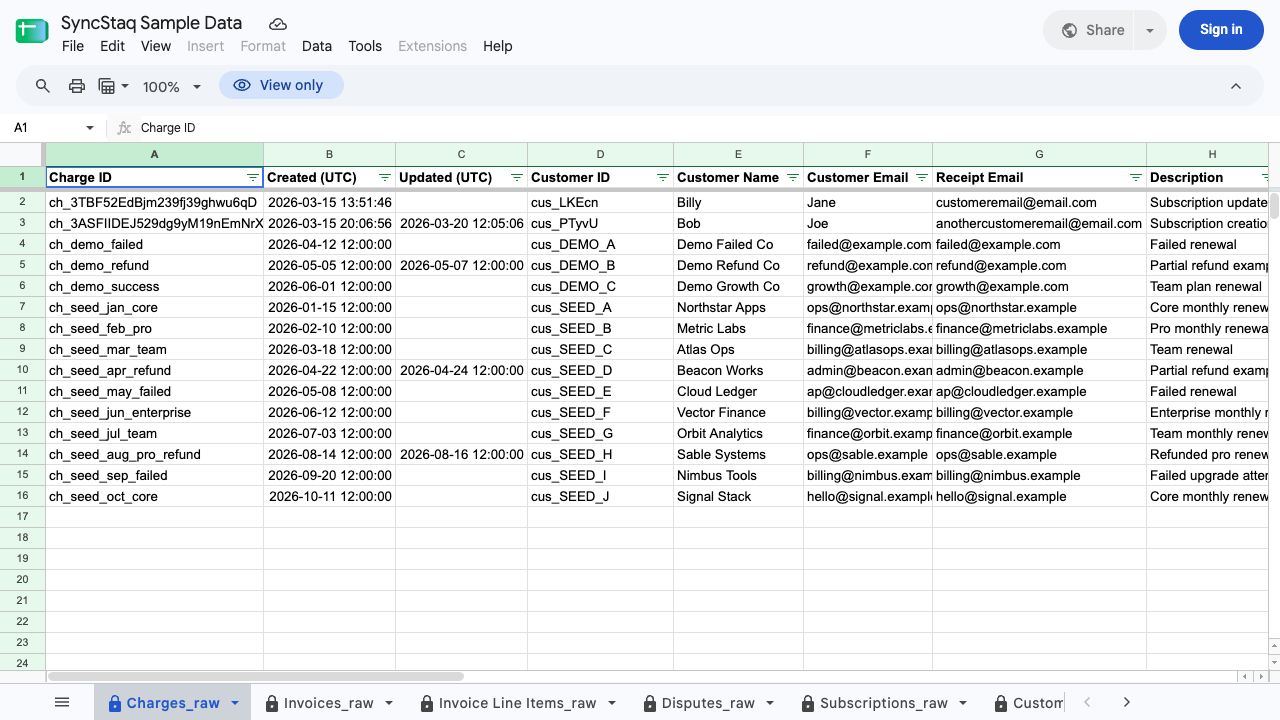
See what replaces the CSV import.
View Sample SheetExplore the structured billing records before deciding whether they fit your reporting workflow.
Apply it to a reporting task
Keep your reports. Replace the repeated exports.
Try SyncStaq with your own Stripe billing data in Google Sheets.